 September 25, 2026 ·
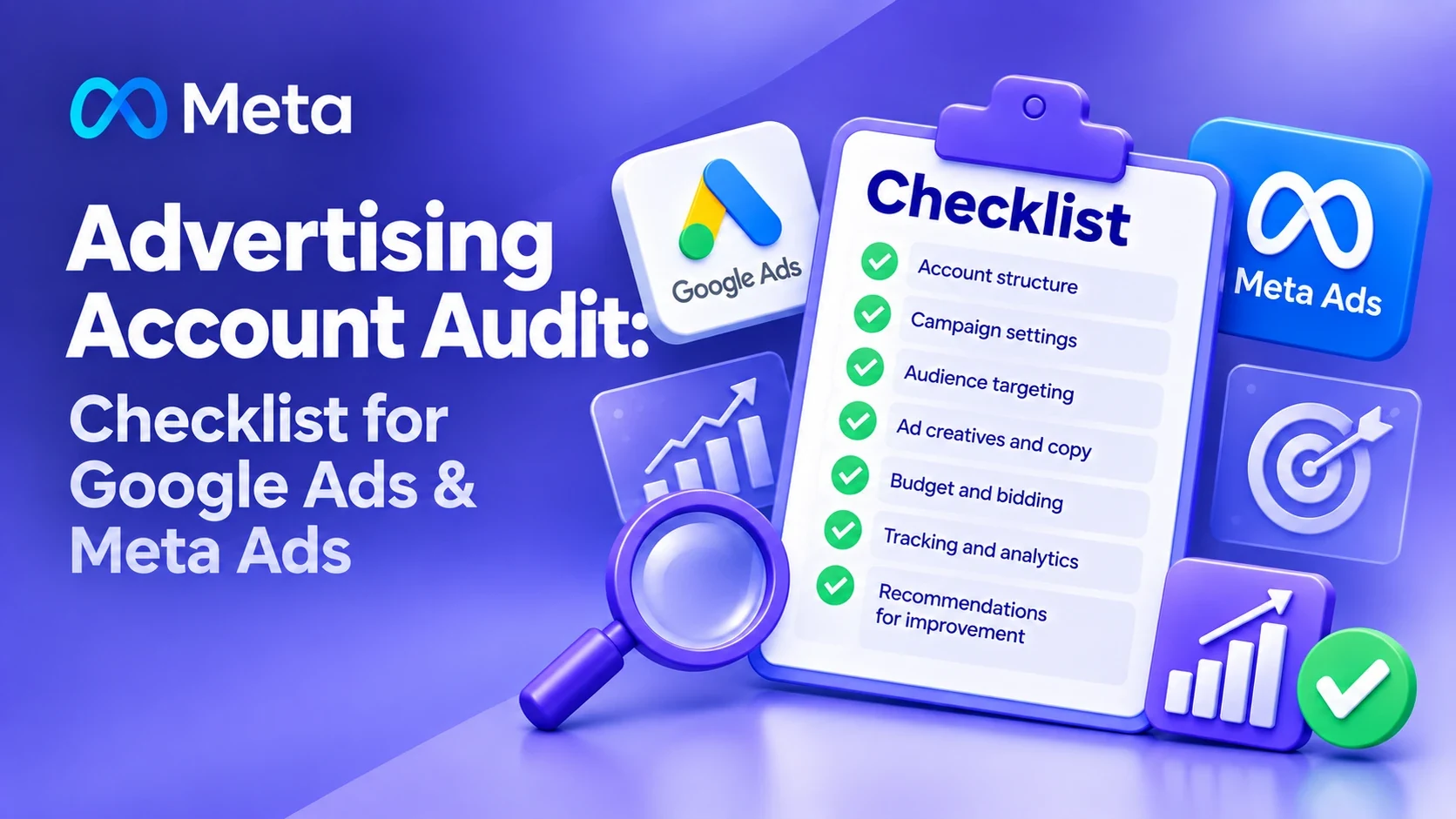
Contents
- What is an ad account audit
- What's included in an audit
- Check business goals
- Check account access
- Check account structure
- Check the ad budget
- Check geography
- Check the ad schedule
- Check bid strategy
- Google Ads search terms
- Check keywords
- Check Google Ads ad copy
- Check Performance Max
- Check Merchant Center
- Check Google Analytics 4
- Check Google Tag Manager
- Check conversions
- Check the CRM
- Check Meta Ads
- Check Meta Pixel
- Check Conversions API
- Check Meta audiences
- Check creatives
- Check the landing page
- Ad-to-site match
- Check lead quality
- Check attribution
- Check UTM tagging
- Search traffic and competitors
- Spend with no result
- What's working
- Final checklist
- Audit results
- The bottom line
- FAQ
An ad account can spend budget every single day and still fail to deliver the results your business needs.
The problem isn't always the size of the budget or the ad platform itself. Money is often lost to the wrong goals, tracking errors, low-quality traffic, weak campaign structure, incorrect settings, or a lack of regular optimization.
That's exactly what an ad account audit is for.
An audit lets you look at your advertising beyond CTR, CPC, or lead count, and check the whole chain instead: ad account → traffic → website → conversion → lead → sale → profit.
In short: An ad account audit is a full review of ad settings, campaign structure, budget, targeting, ads, conversions, analytics, the website, and actual sales. A Google Ads audit additionally checks search terms, keywords, negative keywords, bid strategies, Performance Max, and Merchant Center. A Meta Ads audit looks at Pixel, events, audiences, campaigns, creatives, and lead quality. The goal is to figure out where the budget is being lost and which changes would move the business result.
Below is what to check during a Google Ads and Meta Ads audit, and the mistakes that show up most often.
What is an ad account audit
An ad account audit is a systematic review of settings, structure, analytics, campaigns, audiences, ads, budget, and results.
The main goal is to identify:
- where ad budget is being spent inefficiently;
- which settings are limiting results;
- which campaigns are working;
- which campaigns aren't delivering business results;
- where data is missing;
- which conversions are being tracked incorrectly;
- which audience segments need changes;
- what can be optimized without increasing budget;
- which hypotheses are worth testing next.
So a good audit ends with a concrete action plan, not a list of mistakes.
What's included in an ad account audit
A full ad account audit typically covers several layers of review:
- ad account settings;
- campaign structure;
- ad budget;
- geography and schedule;
- bid strategies;
- audiences;
- keywords and search terms;
- ads and creatives;
- conversions;
- Google Analytics 4;
- Google Tag Manager;
- Google Tag and Meta Pixel;
- events and Conversions API;
- UTM tagging;
- landing pages;
- lead quality;
- CRM data;
- sales and customer acquisition cost.
Analyze these elements as one system, not separately. For example, a high CPL doesn't always mean a problem with the campaign itself. The cause could be low website conversion, an incorrect event, weak lead handling, or a high volume of unqualified inquiries.
So a good audit should answer the main question: where exactly is the ad system losing money, and what needs to change first?
1. Check business goals
Before analyzing the ad account, you need to understand what the business considers a result.
For different companies, that could be:
- a purchase;
- a form submission;
- a phone call;
- a registration;
- a booking;
- a message;
- filling out a form;
- a sale closed by a manager;
- a repeat purchase;
- a qualified lead.
The problem starts when the ad system gets optimized toward an action that has no direct link to the business result.
For example, a campaign can generate a large number of clicks — that still doesn't mean sales are increasing.
So the first question of any audit is: what action does the user need to take for the business to make money?
2. Check account access
Before starting an audit, check who has access to the ad systems.
For Google Ads:
- who has admin access;
- whether a manager account (MCC) is linked;
- whether former contractors still have access;
- which users have access;
- whether the correct billing details are in use.
For Meta:
- who has access to the Business Portfolio;
- who's the ad account admin;
- who has access to the Page;
- who has access to Instagram;
- whether the Pixel is connected;
- who has access to events and data sources.
Removing old access is especially important if several contractors have worked on the account before the current specialist.
3. Check account structure
The next step is the structure of the ad account.
Look at:
- how many campaigns are running;
- which goals are being used;
- which campaigns duplicate each other;
- how products are split up;
- how geography is split up;
- how languages are split up;
- how audiences are split up;
- how logically the budget is distributed.
An overly complex structure can make it harder to accumulate data. An overly simple structure, on the other hand, can make it hard to manage budget and audiences properly.
So the audit checks whether the structure matches the business and the ad strategy.
4. Check the ad budget
Look at not just the total budget, but how it's distributed.
Check:
- how much money is allocated to each campaign;
- which campaigns get the bulk of the budget;
- whether spend matches business priorities;
- whether any campaigns constantly burn budget with no result;
- whether campaigns with good economics have enough budget;
- whether there's a separate budget for testing;
- whether the budget is split too thin across too many campaigns.
For example, say a business allocates $1,000 a month. Split that across ten campaigns, and each one gets a very small slice. As a result, there may not be enough data for proper analysis and optimization.
5. Check geography
Geography is especially important to check if the business only operates in specific cities, regions, or countries.
Check:
- which countries are included;
- which cities;
- the radius around a location;
- the "presence" targeting settings;
- excluded regions;
- language settings;
- whether geography matches the actual service area.
For example, a company only operates in Miami, but the ads are shown to users outside its service area. That can burn budget on untargeted traffic.
6. Check the ad schedule
Check:
- days of the week;
- hours of display;
- the account's time zone;
- the business's actual working hours;
- how fast leads get handled;
- lead cost across different time periods.
For a business that only takes calls from 9:00 to 18:00, running ads around the clock isn't always the best option.
But automatically switching off overnight traffic isn't right either. Look at the data first. If quality leads come in overnight, restricting the schedule can only hurt results.
7. Check bid strategy
In Google Ads, check:
- which bid strategy the campaign is using;
- whether it matches the goal;
- whether there's enough data for that strategy;
- whether bidding is manual or automated;
- whether Target CPA or Target ROAS is set;
- how well the actual values match business goals.
You can't evaluate a bid strategy separately from conversion volume and data quality.
For example, Target CPA might be set too low relative to the real cost of acquiring a customer. In that case, the algorithm ends up constrained in a way that can affect traffic and conversion volume.
8. Check Google Ads search terms
For Search campaigns, this is one of the most important steps.
Look at:
- which search terms trigger your ads;
- which terms drive conversions;
- which terms burn budget with no result;
- whether there's informational traffic;
- whether there are irrelevant terms;
- whether negative keywords are in use;
- whether campaigns overlap.
Separately, check the search terms that have already spent a significant amount. That's often where the clearest optimization opportunities are hiding.
9. Check keywords
Check:
- whether keywords match the product;
- match types;
- duplicates;
- overly broad keywords;
- keywords with no commercial intent;
- keywords with high spend and no conversions;
- low-volume keywords;
- ad group structure.
But removing a keyword just because it got a few clicks with no conversion isn't the right call.
You need to factor in:
- number of clicks;
- spend;
- cost per click;
- conversion rate;
- the decision cycle;
- statistical significance of the data.
10. Check Google Ads ad copy
For Search Ads, check:
- the number of active ads;
- whether headlines match search terms;
- uniqueness of messaging;
- the offer;
- the benefits;
- CTA;
- landing page relevance;
- use of assets.
Don't look only at CTR. An ad with a high CTR can attract a lot of users who never become customers. So the final evaluation needs to factor in conversions and traffic quality.
11. Check Performance Max
If Performance Max is running, separately check:
- campaign goals;
- conversion goals;
- conversion goals;
- asset groups;
- copy;
- images;
- video;
- audiences and audience signals;
- product feeds, if Merchant Center is used;
- exclusions;
- geography;
- branded traffic;
- the quality of conversion data.
Pay special attention to which conversions are being used for optimization. If the campaign's goal includes an action that isn't meaningful for the business, the algorithm may end up optimizing for exactly that.
12. Check Merchant Center
For online stores, separately check:
- product approvals;
- disapproved products;
- feed errors;
- whether prices are current;
- product availability;
- images;
- titles;
- descriptions;
- GTIN;
- brand;
- categories;
- whether the website matches the feed data.
Also check whether product data matches between the ads and the website. Merchant Center errors can directly limit your ability to advertise part of your catalog.
13. Check Google Analytics 4
GA4 shouldn't just be treated as a source of nice-looking reports.
Check:
- whether GA4 is installed;
- whether tracking is working correctly;
- whether events are set up;
- which events count as conversions;
- whether there are duplicates;
- whether parameters pass through correctly;
- whether GA4 and Google Ads are linked;
- whether data lines up between systems.
If Google Ads shows 100 conversions but your CRM shows 10 actual leads, that's a reason to check your measurement setup.
14. Check Google Tag Manager
In GTM , check:
- which tags are installed;
- which triggers are in use;
- whether there are duplicates;
- whether events fire correctly;
- whether parameters pass through;
- whether there are outdated tags;
- whether events fire more than once;
- whether tracking still works after site changes.
Check forms especially carefully. For example, if the form_submit event fires on button click instead of after a successful submission, conversion counts can end up inflated.
15. Check conversions
This is one of the most important parts of the audit.
For every conversion, ask: if a user takes this action, does the business consider it a potential result?
Check:
- primary conversions;
- secondary conversions;
- imported conversions;
- phone calls;
- forms;
- purchases;
- messages;
- registrations;
- micro-conversions.
Not every interaction should be used as a primary optimization goal.
16. Check the CRM
If the business runs on leads, the ad account can't be analyzed separately from the CRM.
Look at the full path: click → lead → qualified lead → meeting → sale.
For example: Google Ads shows a CPL of $15. But the CRM shows 100 leads → 5 sales. That makes the real customer acquisition cost: $15 × 100 ÷ 5 = $300.
The $300, not the $15, is the number that matters for evaluating the economics of the campaign.
17. Check Meta Ads
For Meta Ads , separately check:
- Business Portfolio;
- the ad account;
- Pixel;
- Events Manager;
- the domain;
- Conversions API, if used;
- events;
- event priority;
- audiences;
- campaigns;
- ad sets;
- ads;
- placements;
- geography;
- age and other targeting, if used;
- budget;
- the optimization strategy.
18. Check Meta Pixel
Check:
- whether the Pixel is installed;
- whether it's the correct Pixel;
- whether events are firing;
- whether there are duplicates;
- whether Purchase is working correctly;
- whether Lead is working correctly;
- whether value is passed;
- whether currency is passed;
- whether tracking still works after site changes.
For e-commerce, check the full chain: ViewContent → AddToCart → InitiateCheckout → Purchase. If part of that chain is missing or broken, funnel analysis becomes much harder.
19. Check Conversions API
If Meta Conversions API is in use, check:
- which events are sent server-side;
- which events go through the Pixel;
- whether deduplication is set up correctly;
- whether there's double-counting;
- whether the necessary parameters are passed;
- whether the setup matches the site's actual funnel.
Having CAPI in place doesn't by itself mean your analytics are set up correctly. Data quality still needs to be checked.
20. Check Meta audiences
Check:
- cold audiences;
- Custom Audiences;
- Lookalike Audiences, if used;
- website visitors;
- past purchasers;
- leads;
- exclusions;
- audience overlap.
Separately, check whether ads are being shown to people who've already taken the desired action. For example, past purchasers can be excluded from a first-purchase campaign and targeted separately in a repeat-purchase strategy.
21. Check creatives
For Meta and TikTok, creative matters enormously.
Check:
- how many creatives are active;
- which formats are in use;
- whether there's video;
- whether there are static images;
- whether different hooks are being tested;
- whether offers are being varied;
- whether there's UGC;
- whether the product is shown;
- whether the CTA is clear;
- whether creative has burned out.
Don't look only at CTR. Evaluate the whole chain: creative → click → action → lead → sale.
22. Check the landing page
Even perfectly configured ads won't fix a bad website.
Check:
- load speed;
- the mobile version;
- whether the page matches the ad;
- the offer;
- the price;
- CTA;
- the form;
- number of fields;
- trust elements;
- reviews;
- case studies;
- guarantees, if genuinely offered;
- contact information;
- the checkout process.
Pay special attention to the mobile user path. Most social media ad traffic arrives on mobile devices.
23. Check that the ad matches the site
Users should get roughly what the ad promised them.
For example: the ad says "Solid wood countertops made to your size," but the landing page is the company's generic homepage with no countertop information. That creates unnecessary friction.
It's far more effective to send users to a page that directly matches the ad's offer.
24. Check lead quality
The number of leads isn't the same as the number of customers.
In the audit, look at:
- how many leads came in;
- how many were qualified;
- how many the sales team actually worked;
- how many turned out to be unqualified;
- how many made it to a sale;
- which campaigns bring in customers;
- which campaigns only bring in cheap form fills.
Sometimes a campaign with a $10 CPL is actually worse than one at $30, if the cheaper one brings in unqualified inquiries.
25. Check attribution
You need to understand how the ad platforms determine the source of a conversion.
Check:
- attribution models;
- conversion windows;
- UTM;
- GA4 data;
- CRM data;
- discrepancies between platforms.
You can't just add up Google Ads and Meta Ads conversions and call that number your total sales. The same sale can get counted by more than one system.
26. Check UTM tagging
UTM parameters are needed to analyze your traffic sources properly.
Check: source, medium, campaign, content, and term, where used.
Use one consistent naming system. For example: utm_source=google, utm_medium=cpc, utm_campaign=brand_search. Don't end up with ten different spellings of the same source.
27. Check search traffic and competitors
For Google Ads, it's also worth reviewing:
- Auction Insights;
- your main competitors;
- changes in the competitive landscape;
- impression share;
- impression share lost to budget;
- impression share lost to rank;
- positions and query types.
This helps you tell whether the problem is budget, competition, relevance, or the strategy itself.
28. Check spend with no result
One of the most useful parts of the audit: find money that's already been spent but didn't deliver the expected result.
For example:
- a keyword spent $300 with zero conversions;
- an audience spent $500 with no sales;
- a creative got 50,000 impressions but barely any clicks;
- a product gets clicks but never sells;
- a region burns budget with no leads.
But don't draw conclusions from a single metric alone. Factor in the time period, data volume, sales cycle, and statistical significance.
29. Check what's working
An audit shouldn't turn into a hunt for bad campaigns only.
You also need to identify:
- which campaigns generate sales;
- which keywords bring in customers;
- which audiences convert;
- which creatives bring in quality leads;
- which regions perform best;
- which products sell best;
- which landing pages convert best.
Then you can shift budget toward the hypotheses that are working.
What the audit should give you
A good ad account audit doesn't end with "you have a lot of mistakes."
After the audit, the business owner or marketer should understand:
- What's happening with the ads right now.
- Where the budget is being lost.
- Which settings need fixing.
- Which campaigns and segments perform better.
- Which problems sit in the ads themselves, and which sit on the website or in the CRM.
- What to fix first.
- What's worth testing next.
- Which metrics to track after making changes.
So it's useful to split the final audit document into three categories:
Critical. Errors that directly affect data collection, ad spend, or the ability to get conversions.
Important. Problems that limit performance but don't block the ads from running.
Hypotheses. Ideas for further tests that still need to be validated with data.
This approach turns a long list of notes into a set of priorities.
The bottom line
An ad account audit covers more than the ad account itself. If you only look at Google Ads or Meta Ads, you can miss the real problem.
The ads can be set up perfectly on a technical level, and it still won't matter if: the wrong offer → the wrong audience → a weak landing page → low conversion rate → poor sales.
So a proper audit needs to follow the entire chain: ad platform → analytics → website → lead → CRM → sale → business economics.
Only after that can you decide what needs optimizing: the campaigns, the audiences, the creatives, the website, the analytics, the budget, or the strategy itself.
Need an audit of your ad account? I'll go through this checklist by hand — Google Ads, Meta Ads, analytics, conversions, and your website — and give you a concrete plan for what to fix first.
Frequently Asked Questions
What is an ad account audit?
An ad account audit is a detailed review of settings, campaigns, budget, analytics, audiences, ads, conversions, and results. Its goal is to find technical errors, inefficient settings, and growth opportunities.
Why do you need a Google Ads audit?
A Google Ads audit helps check whether the ad budget is being spent correctly, which search terms and keywords are driving results, whether conversions are tracked correctly, and how well campaigns match business goals.
What should you check in Google Ads?
A Google Ads audit typically checks campaign structure, keywords, search terms, negative keywords, ads, bid strategies, geography, budgets, conversions, Performance Max, Merchant Center, and audiences.
What's included in a Meta Ads audit?
A Meta Ads audit includes reviewing the Business Portfolio, ad account, Pixel, events, Conversions API, audiences, campaigns, budgets, placements, creatives, and campaign results.
How do you know an ad account is set up incorrectly?
Warning signs include incorrect conversions, high spend with no results, a large share of unqualified leads, irrelevant traffic, geography errors, duplicated events, or a mismatch between the ad account's numbers and your CRM.
How often should you audit an ad account?
A full audit makes sense when taking over a new account, before handing a project to another specialist, after a major strategy change, or when performance has clearly declined. Certain elements of the account are worth monitoring on an ongoing basis.
Can you audit an ad account yourself?
Yes. You can use a checklist and work through account settings, campaigns, budget, analytics, conversions, your website, and sales in order. For a full picture, it's best to look at CRM data as well, not just the ad account.
Do you need an audit if the ads are already generating sales?
Yes. Even a working account can contain inefficient campaigns, wasted spend, or analytics problems. An audit checks whether current results match the account's potential and your business economics.
What should you do after an ad account audit?
After the review, sort the findings by priority: critical errors, important fixes, and hypotheses to test further. Then build a plan of changes and decide which metrics you'll track to measure the result.
What matters more in an audit: CPL or sales?
What matters for the business is not so much lead cost as the final customer acquisition cost and the profitability of the ads. A cheap lead can still be low quality, so ad data is best compared against CRM records and actual sales.
How much does an ad account audit cost?
Cost depends on the ad platform, the number of campaigns, the volume of data, how complex the analytics setup is, the number of ad channels, and whether the website or CRM also needs review. So audit pricing is usually set after scoping the work.
Want to know where your ads are losing budget?
I'll audit your Google Ads and Meta Ads account against this checklist — settings, analytics, conversions, audiences, and your website — with a concrete plan for what to fix first.
Get in Touch Website auditLanding Page Audit Before Running Ads: What to Check So You Don't Waste Your Budget26.10.2026
 Google Ads & Meta AdsHow Much Do Google Ads and Meta Ads Setup and Management Cost?26.10.2026
 InstagramInstagram Shadowban: How to Check It, Why Reach Dropped, and What to Do20.10.2026
 Google Merchant CenterGoogle Merchant Center: A Complete Setup and Product Review Checklist24.09.2026
 BudgetsMinimum Advertising Budget: Google Ads, Meta Ads, and TikTok Ads in 202621.09.2026
 Retargeting & AudiencesOrganic Traffic + Retargeting: How to Turn Free Website Visitors into Customers21.09.2026
 Choosing a ContractorFreelancer or Agency: What's Better for Business Advertising?08.10.2026
 Meta AdsWhy Meta Rejects Your Ads: The Main Causes and What to Do25.09.2026
 Choosing a ChannelHow to Choose the Best Advertising Tool for Your Business: Google Ads, Meta Ads, TikTok, or Something Else?22.09.2026